
A customer opens ChatGPT and types: “Who’s the best plumber near me who does weekend call-outs?” A few seconds later they have two or three names and a reason for each. Nobody scrolled a results page. If your business wasn’t one of those names, you never got the chance to compete.
The good news: getting recommended by ChatGPT isn’t luck, and a spot in the answer isn’t something you can buy. ChatGPT names businesses it can find, understand and trust. This guide shows you how it picks, then walks you through seven steps to become one of the names it gives.
In this guide
How ChatGPT decides which businesses to recommend
ChatGPT has two ways of knowing about your business.
- What it learned in training. The model read a huge slice of the public web. If your business was well described and widely mentioned, some of that stuck.
- What it finds when it searches. For questions that need fresh or local information, ChatGPT searches the web, then writes an answer with links to its sources. OpenAI says ChatGPT may send search queries to third-party search providers such as Bing (OpenAI Help Center).
For a recommendation question like “best roofer in Austin”, the second route does most of the work. So the practical question becomes: when ChatGPT searches, does it find you, and do the pages it finds make you look like a safe pick?
That’s why the same handful of signals keep showing up in AI answers:
- Access. ChatGPT’s search crawler is allowed to read your site.
- Clarity. Your pages say plainly what you do, who for and where.
- Consistency. Your name, address, phone and services match everywhere online.
- Proof from others. Reviews, directories, lists and articles that mention you.
Think of it like a referral from a cautious friend. They only name the business they’re sure about.
7 steps to get your business recommended by ChatGPT
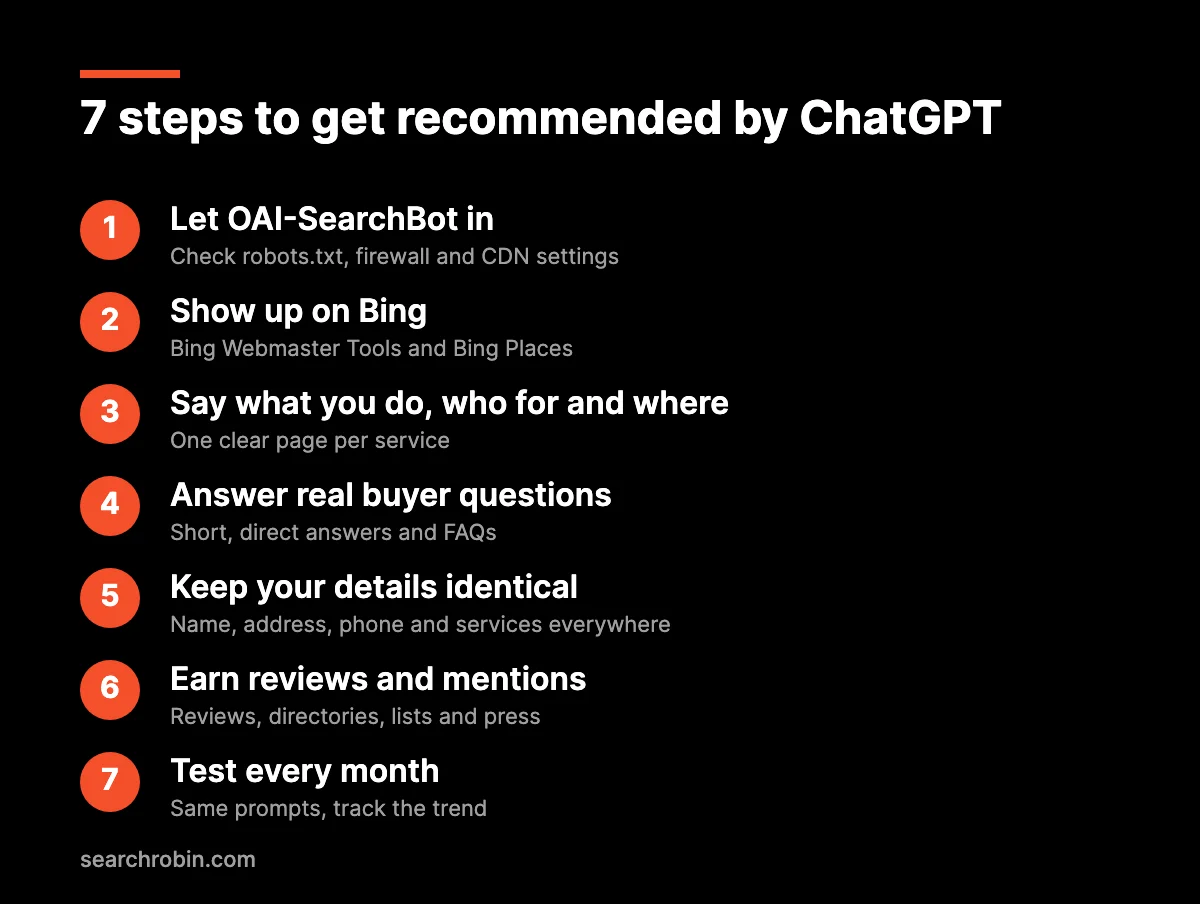
1. Let ChatGPT’s crawler into your site
This is the step most businesses never check. OpenAI uses a crawler called OAI-SearchBot to find websites for ChatGPT’s search features, and it states that sites that opt out of OAI-SearchBot will not be shown in ChatGPT search answers (OpenAI crawler documentation).
Open yourdomain.com/robots.txt and look for any line that blocks OAI-SearchBot, or blocks every bot with User-agent: * and Disallow: /. Also check your firewall or CDN. Some security settings quietly block AI crawlers by default. OpenAI notes changes can take about 24 hours to take effect.
2. Make sure you show up on Bing
Because ChatGPT can lean on Bing for web results, a business that’s invisible on Bing has a harder time showing up in ChatGPT. Two quick wins:
- Verify your site in Bing Webmaster Tools and submit your sitemap.
- If you serve local customers, claim your listing on Bing Places for Business. You can import it straight from your Google Business Profile.
Then search Bing for your own service plus city. If you’re nowhere in the first page, that’s a gap worth closing.
3. Say exactly what you do, who for and where
AI can’t recommend you for “emergency boiler repair in Leeds” if your homepage only says “Quality you can trust.” Every key page should answer three questions in plain words: what service, for which customer, in which area.
- One page per core service, not one page that lists everything.
- A two or three sentence summary near the top of each page.
- Your service areas named in text, not only shown on a map image.
- Prices or price ranges where you can share them. Answer engines love concrete details.
4. Answer the questions buyers actually ask
People don’t type keywords into ChatGPT. They ask full questions: “Do I need a licensed electrician to move a socket?” or “How much does Google Ads management cost per month?” Pages that answer those questions directly are easy for AI to quote.
Collect ten questions from sales calls, emails and reviews, then answer each one in a short, clear paragraph on the right page or in an FAQ. Lead with the answer, then explain. Research on generative engine optimization from Princeton and partners found that the right content changes can raise a source’s visibility in AI-generated answers by up to 40%, with results varying by topic (GEO: Generative Engine Optimization, KDD 2024).
5. Keep your business details identical everywhere
If your website says “Smith & Sons Plumbing” in Manchester and your Facebook page says “Smith Plumbing Ltd” in Salford, an AI has to guess whether that’s one business or two. Guessing lowers confidence, and low confidence means it names someone else.
Check your website, Google Business Profile, Bing Places, Facebook, LinkedIn and the main directories in your industry. Name, address, phone, hours and service list should match word for word.
6. Earn reviews and mentions on trusted sites
AI tools put more weight on what others say about you than on what you say about yourself. Useful sources include:
- Reviews on Google, Trustpilot, Yelp or the review site your industry uses. Ask happy customers to mention the service and the town in their own words.
- Industry directories and trade associations.
- “Best of” lists and roundups in your niche. When ChatGPT cites a list in its answer, being on that list puts you in the answer.
- Local press, podcasts and guest articles where you share real expertise.
Here’s a useful trick: ask ChatGPT a buyer question and look at which websites it cites. Those are exactly the sites you want to be on next.
7. Test every month and track the trend
AI answers shift from day to day, so one check tells you little. Pick five to ten questions your buyers ask, run them in ChatGPT once a month in a temporary chat (so your history doesn’t sway the answer), and log:
- Whether your business is named.
- Which competitors are named.
- Which sources are cited.
Over three to six months, the trend tells you whether the work is landing.
How to check if ChatGPT recommends you right now
Try these prompts today. Swap in your own service and area:
- “Who are the best [service] providers in [city]?”
- “I need [service] for [a common customer problem]. Who would you recommend?”
- “What is [your business name] and what do they do?”
- “Compare [your business] and [main competitor].”
If ChatGPT can’t describe your business accurately in prompt 3, start with steps 1, 3 and 5. If it describes you correctly but never recommends you, focus on steps 4 and 6.
Mistakes that keep businesses out of AI answers
- Blocking AI crawlers by accident. A security plugin or CDN setting can do this without anyone noticing.
- Vague service pages. Clever slogans are hard for AI to match to a real question.
- Ignoring Bing. Plenty of businesses have never opened Bing Webmaster Tools.
- Chasing tricks. Stuffing pages with “ChatGPT” keywords or hidden text doesn’t help. And nobody can sell you a spot inside the answer itself, so be wary of anyone promising one.
- Forgetting SEO. Google says there are no special requirements or extra optimizations needed to appear in its AI Overviews beyond normal search eligibility (Google Search Central). Good SEO is still the foundation AI search is built on.
If you want the bigger picture of how answer engines work, read our guide to AI search optimization, AEO and GEO.
FAQ
Can I pay ChatGPT to recommend my business?
Not inside the answer. OpenAI has started showing ads in ChatGPT in some countries, including the US and UK, but it says ads are clearly labeled as sponsored, kept separate from the answer, and don’t influence what ChatGPT recommends (OpenAI). Being named in the answer itself still has to be earned with the steps above.
How long does it take to get recommended by ChatGPT?
Technical fixes like unblocking OAI-SearchBot can matter within days. Building enough reviews, mentions and clear content for AI to trust you usually takes a few months. Track the same prompts monthly and look for a trend.
Does ChatGPT use Google or Bing?
OpenAI says ChatGPT search may share queries with third-party search providers and names Bing as an example. Being visible on Bing is a sensible part of any ChatGPT plan, alongside strong Google SEO.
Is getting recommended by ChatGPT different for local businesses?
The basics are the same. Local businesses should pay extra attention to Google Business Profile, Bing Places, consistent addresses and reviews that mention the town or area they serve.
What is ChatGPT SEO?
ChatGPT SEO is the work of making your business easy for ChatGPT to find, understand and recommend. It’s part of what’s also called answer engine optimization (AEO) or generative engine optimization (GEO).
Want to know if AI is recommending you?
Search Robin checks how your business shows up across ChatGPT, Gemini, Perplexity and Google, then fixes what’s holding you back. See our AI search optimization service or book a free strategy call and we’ll show you where you stand.